
100% Local RAM Processing
Every document render, PII scan, and pixel flattening calculation executes strictly inside your Windows PC's volatile memory. Zero external servers, zero cloud queues, and zero telemetry.
Protect confidential contracts, invoices, IDs, and medical records directly on your PC. Censorio detects sensitive PII, strips hidden EXIF metadata, and permanently flattens pixels in local RAM—so redacted text can never be recovered.
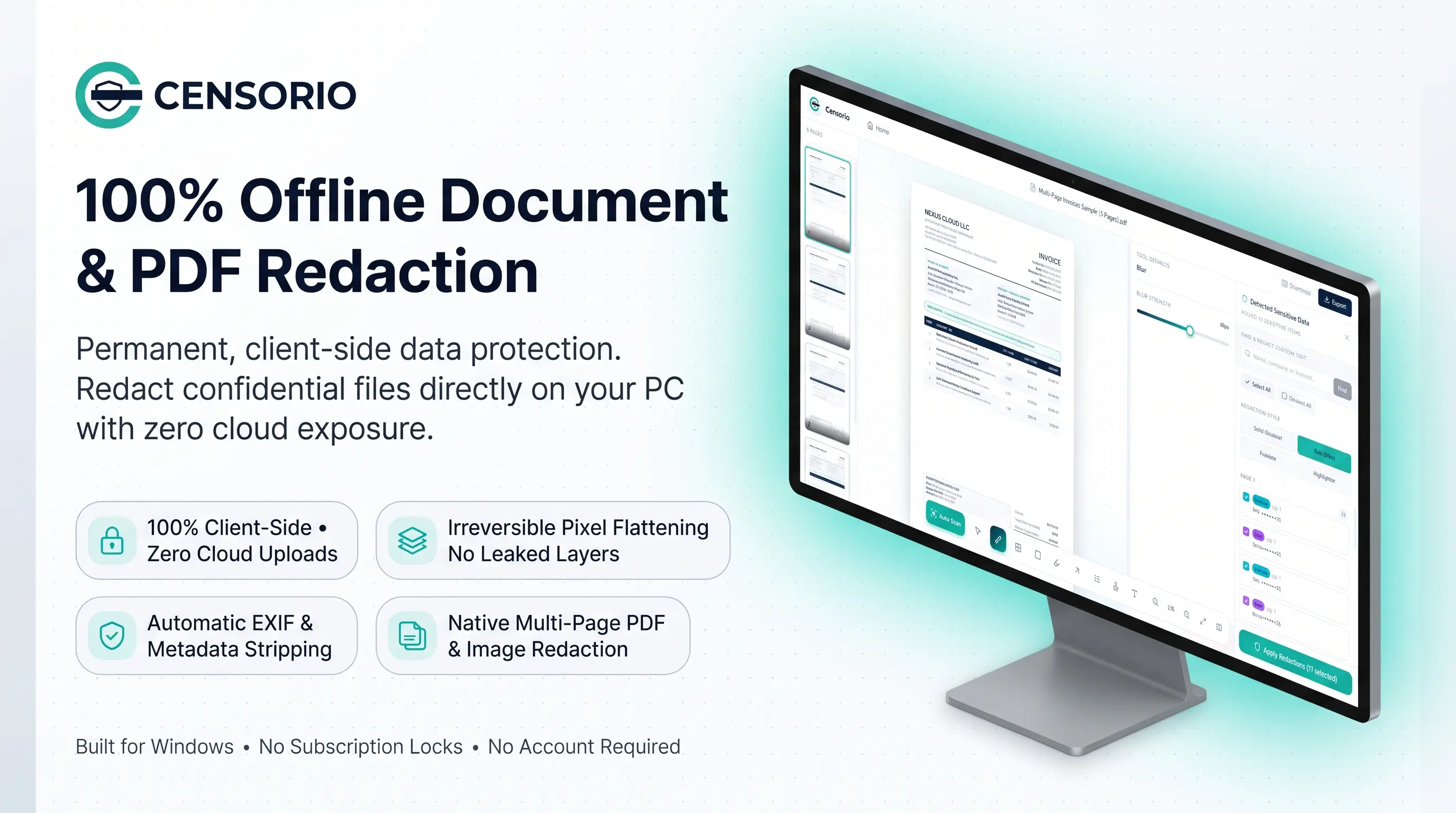
Explore every stage of the Censorio workflow—from instant drag-and-drop file loading and automated PII scanning to irreversible multi-page PDF export.
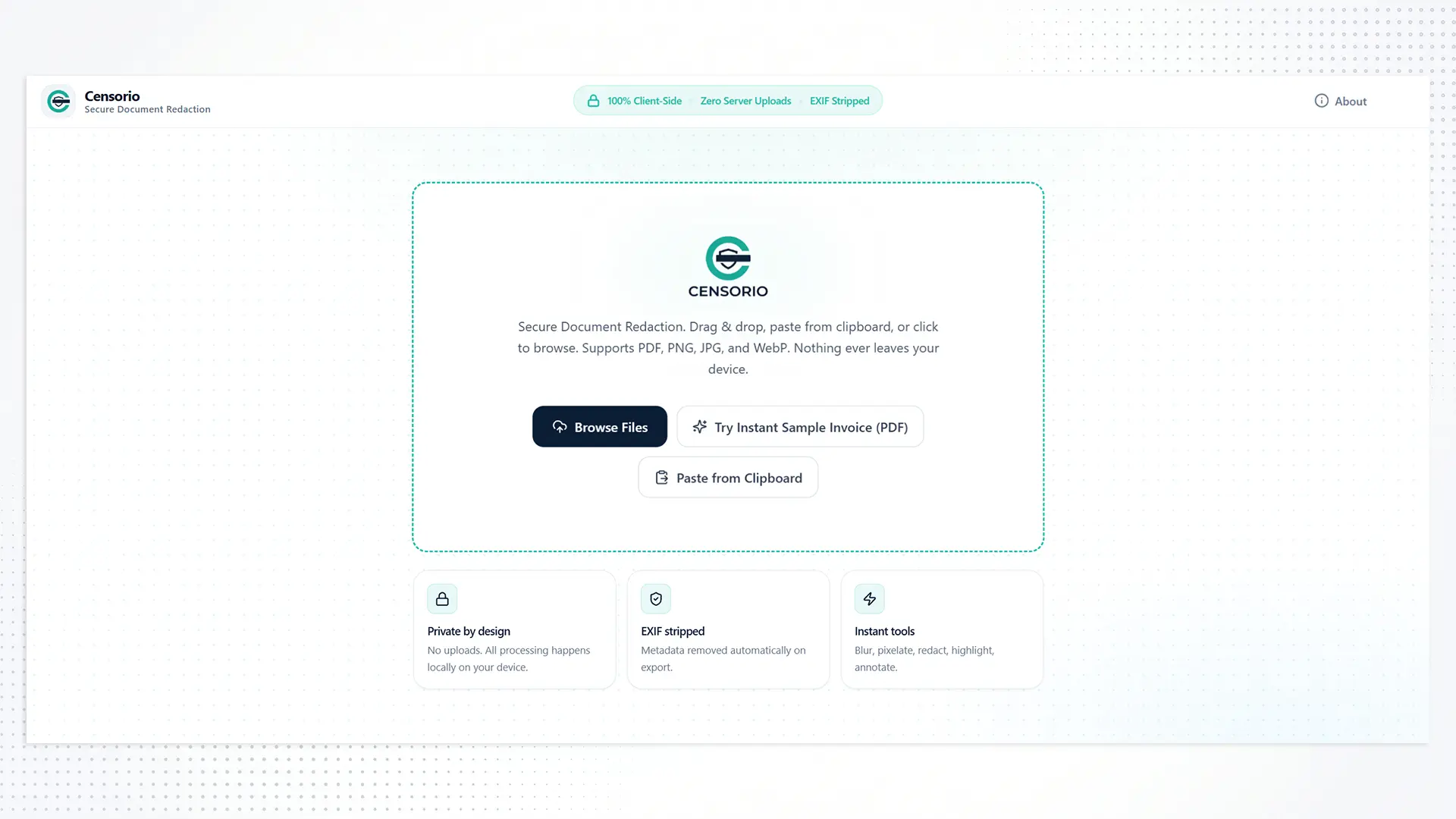
Drag and drop PDFs, PNGs, JPGs, or WebP files—or paste screenshots directly from your clipboard. Everything initializes in local RAM with zero account sign-ups.
When you draw a black box over sensitive text in standard PDF viewers or basic image editors, the underlying text layer remains intact in the document code. Anyone can highlight the area, press Ctrl+C, and paste your confidential IBAN, SSN, or client name.
Censorio eliminates this risk permanently. Our engine rasterizes and flattens redacted regions at the pixel level while stripping all hidden XMP/EXIF metadata streams.
Zero Recoverable Text Layers: Underlying vector text is destroyed, not merely covered.
Original File Untouched: Non-destructive workflow always exports a clean sanitized copy.
Engineered specifically for Windows 10 and Windows 11 with a lightweight, distraction-free interface.
Every document render, PII scan, and pixel flattening calculation executes strictly inside your Windows PC's volatile memory. Zero external servers, zero cloud queues, and zero telemetry.
Automatically scan single or multi-page documents to detect Personally Identifiable Information—including street addresses, dates, emails, phone numbers, and tax IDs—or search custom keywords.
Choose the right visual treatment for every workflow: Solid Blackout for legal compliance, adjustable Blur Effect (px strength slider), Pixelate for faces/plates, or Highlighter for review.
Hidden digital fingerprints like author name, device serials, GPS coordinates, and edit timestamps are wiped clean automatically whenever you export a sanitized file.
Navigate lengthy contracts with a sidebar thumbnail strip and live minimap. Export the Full Document, Modified Pages Only, or the Current Page in one click.
Distributed natively via the official Microsoft Store. No recurring monthly SaaS fees, no cloud storage upsells, and no mandatory user accounts—install once and work offline forever.
When third-party cloud redaction tools violate your NDA or Data Processing Agreement, local execution is the only compliant choice.
Sanitize court exhibits, witness statements, and M&A contracts under strict attorney-client privilege without uploading case files to external servers.
De-identify Protected Health Information (PHI), patient names, and insurance IDs from lab reports and clinical PDFs before research or referral sharing.
Mask IBAN numbers, tax identifiers, payroll figures, and identity documents (passports, ID cards) during audits and loan underwriting.
Fulfill GDPR Data Subject Access Requests (DSAR) and Freedom of Information (FOIA) disclosures while protecting third-party employee identities.
Try Censorio right in your browser with our instant sample invoice or your own test file—powered by the exact same 100% client-side local processing architecture.
Unlike basic PDF annotators that simply layer a vector rectangle over selectable text, Censorio performs irreversible pixel flattening. When you apply redactions and export, the underlying text layer in the masked region is permanently destroyed and baked into a clean flattened layer, making text extraction or un-layering impossible.
Never. Censorio is engineered with a strict zero-network architecture. All file parsing, Auto Scan PII detection, rendering, and exporting happen 100% locally in your Windows device's RAM. You can disconnect your PC from Wi-Fi/Ethernet and use every feature identically.
You can import single-page or multi-page PDF documents as well as PNG, JPG/JPEG, and WebP images (or paste directly from your clipboard). You can export sanitized copies as flattened PDF, PNG, or JPG while keeping your original source file untouched.
Upon export, Censorio automatically strips EXIF camera data, GPS geolocation coordinates, author/creator names, software version history, and hidden document properties from both PDFs and images.